Nutrition
How Long Does Pre Workout Last? Peak, Half-Life and Sleep Timing
How long does pre workout last? Effects peak 30 to 60 minutes after you drink it, but caffeine's half-life of 4 to 6 hours means it lingers well into the evening.

By Declan Hallwood, Nutrition & Supplements Editor · Updated 13 October 2026
Total calories is everything you burned in a day: your resting burn (the energy your body uses just to keep you alive, often called BMR) plus your active calories (the extra you burned by moving). Active calories is only the movement slice, so it's always the smaller number. If you're trying to lose weight, don't eat back your total calories at all, and don't eat back your active calories in full either; treat them as a rough guide and eat back about half.
That's the short answer. The longer one matters, because each brand labels these numbers slightly differently, and the watches are a lot less precise than the confident figure on your wrist suggests.
How we wrote this
This is a research-based guide. We haven't run lab tests on these watches. The labels come from Apple, Garmin and Fitbit's own support pages and manuals, and the accuracy claims come from published validation studies linked in the text. The worked example uses round, made-up numbers to show the maths; it isn't anyone's real data.
Total calories = resting calories + active calories.
Resting calories cover breathing, circulation, keeping your organs ticking over and holding your body temperature. You burn them asleep, sat at a desk, or lying on the sofa. Your watch doesn't measure this directly; it estimates it from the height, weight, age and sex you typed in during setup. Fitbit's help page puts it plainly: the resting part accounts for at least half of the calories you burn in a day (how Fitbit calculates calories burned).
Active calories are everything on top: walking to the shop, climbing stairs, a run, a gym session, fidgeting. This is the part your watch tries to work out from movement and heart rate, and it's where most of the guesswork lives.
One detail trips a lot of people up. In a workout summary, the "total" figure includes the resting calories you'd have burned during that hour anyway, even if you'd stayed on the sofa. Eat back the workout total and you're counting your resting burn twice.
The maths is the same everywhere, but the wording changes, and that's where most of the Reddit threads on this come from.
| Device | Movement number | Full-day number | Where you'll see it |
|---|---|---|---|
| Apple Watch | Active calories (Active Energy in Health) | Total calories (Resting Energy plus Active Energy) | Move ring, Workout summaries, Health app |
| Garmin | Active calories | Total calories, split into resting and active in Garmin Connect | Watch data fields, Connect calories card |
| Fitbit | Activity calories | Calories burned (the main number is the total) | Today tile in the app, on the device |
| Whoop | Calories for each logged activity | Daily calories for the whole cycle | Day view, activity detail |
Apple keeps active calories front and centre. The red Move ring tracks active calories only, not your total (Apple Watch Activity app guide), so a 600 kcal Move goal means 600 kcal on top of your resting burn. In the Health app the same data shows up as Active Energy, with a separate Resting Energy entry; add them together for your total. Workout summaries show both Active Calories and Total Calories, which is the classic source of confusion.
Apple says the personal details you enter (height, weight, age and sex) feed into the calorie maths, and that calibrating the watch with an outdoor walk or run can improve its calorie numbers (Apple: calibrate your Apple Watch). Keep your weight up to date if you're losing it; an old figure will inflate both numbers.
For a deeper look at the cheaper model's sensors, see our Apple Watch SE 3 review.
Garmin watches have separate data fields for each number. In the fēnix 7 manual, for example, Active Calories is defined as the calories burned during the activity, while Total Calories is the total burned for the day (Garmin fēnix 7 data fields). Garmin Connect then breaks the day into resting and active calories, which add up to the total.
Watch the naming on smaller models, though. Some Garmin manuals label the all-day field as just "Calories", so check which one you've added to your watch face before you trust it. If you're shopping, our Garmin Forerunner 265 review covers one of the more popular running watches, and the best Garmin watch guide compares the range.
Fitbit leads with the total. The number on your device and in the app's main tile is your total calories burned for the day, which combines your resting burn with your activity data, and heart rate where your tracker has it (how Fitbit calculates calories burned). That's why you'll wake up to a number already in the hundreds: the resting part counts up overnight. If you want a movement-only figure, subtract your estimated resting burn, or look for an activity calories breakdown in the app if your version shows one. Our Fitbit Charge 6 review covers the tracker most people buy.
Whoop doesn't lean on the active versus total split the way Apple and Garmin do. You get a calorie figure for each day and a separate one for each logged activity. The daily figure keeps climbing on a rest day, which tells you it includes your resting burn, so treat it like Fitbit's headline number: a total, not something to eat back. The per-activity figure is the closer match to active calories. We compare the two platforms side by side in Whoop vs Apple Watch.
Less accurate than they look. The best-known test came from Stanford in 2017: 60 volunteers wore seven wrist devices, including the Apple Watch and a Fitbit, while researchers measured their actual energy use with indirect calorimetry during sitting, walking, running and cycling. Heart rate was mostly fine. Energy expenditure wasn't; no device got its error below 20%, and the authors suggested caution in using these numbers for health programmes (wrist-worn heart rate and energy expenditure accuracy, Stanford). The Apple Watch had the lowest overall error of the seven, which tells you how loose the rest were.
Newer hardware hasn't fixed this. A 2026 living systematic review pooled 82 Apple Watch validation studies and found heart rate was close on average, but energy expenditure error was inconsistent and frequently large (accuracy of Apple Watch measurements).
Two things make it worse for weight loss specifically. The resting estimate comes from a formula, so if your metabolism sits above or below the average for your size, every day is off by the same amount. And the active estimate varies by activity and by person: in the Stanford study, error was lowest for cycling and highest for walking, and it was also higher for men, people with a higher BMI and people with darker skin tones.
The useful way to think about it
Your watch is decent at telling you whether today was busier than yesterday, and poor at telling you exactly how many calories that was. Use it for comparisons, not arithmetic.
Imagine someone whose watch estimates a resting burn of 1,700 kcal a day. On a day with a 45-minute run and a bit of walking, the watch shows:
The run's workout summary might also show "total" calories of around 500, because it adds roughly 50 kcal of resting burn for those 45 minutes on top of the 450 active.
Now suppose they set a food target of 1,700 kcal a day, built for a mostly sitting-down day with a deficit already baked in. Here's how the eat-back options play out:
| Approach | Food eaten | What happens |
|---|---|---|
| Eat back total calories (2,400) | 4,100 kcal | Huge surplus; the resting burn gets counted twice |
| Eat back all active calories (700) | 2,400 kcal | Deficit wiped out if the watch overestimates |
| Eat back half of active (350) | 2,050 kcal | Some fuel for training, and a buffer for watch error |
| Eat back nothing | 1,700 kcal | Biggest deficit, but can leave hard sessions underfuelled |
None of those rows is "correct" on day one. The half-back approach is simply the one that survives a 20% to 30% overestimate without erasing the deficit.
Pick one number per job. Use active calories for movement goals (the Move ring, a daily step or activity target). Use average total calories, over weeks rather than days, to sanity-check your food target.
Eat back about half of your active calories, then let the scales decide. Track your morning weight for three to four weeks. If you're losing slower than planned, eat back less; if you're dropping fast and training feels flat, eat back more. Your weight trend is the only calorie measurement in this whole process that isn't an estimate.
Don't stack estimates. If your food target already assumes you're "moderately active", you've already counted your exercise once. Adding watch calories on top counts it again. Either set your target for a sedentary day and eat back some active calories, or set it for your real activity level and ignore the watch for food.
Keep your profile current. Out-of-date weight, wrong age or a sloppy fit all skew the estimate. Wear the watch snugly above the wrist bone for workouts so the heart rate reading holds up.
Use a chest strap for hard sessions. Calorie maths during exercise leans on heart rate, and wrist sensors can lag or drop out during intervals. A chest strap paired to your watch usually gives steadier readings, though it won't fix the resting estimate.
If you're losing weight and struggling to hit protein, our roundup of protein shakes for weight loss and the wider nutrition hub are good next stops.
Total calories is everything your body burned: your resting (basal) burn for keeping you alive, plus the extra you burned by moving. Active calories is only that extra, movement part. So total equals resting plus active, and the active figure is always the smaller of the two.
Never eat back total calories, because the resting part is already built into any sensible daily calorie target. If your target assumes a sedentary day, you can eat back some of your active calories, but wrist estimates often run high, so start with about half and adjust based on what your weight does over three or four weeks.
They're estimates, and the error can be large. A Stanford study of seven wrist devices found none estimated energy expenditure with less than 20% error, although the Apple Watch had the lowest overall error of the group. A 2026 review of 82 Apple Watch studies also found calorie error was inconsistent and often large.
Because most of the total is your resting burn, which happens whether you train or not. For a typical adult the resting part is well over half of the day's total. A rest day still shows a big number; only the active part drops.
Use active calories for movement goals like the Apple Watch Move ring, since that's what it measures. For setting a food target, use your average total burn over a few weeks rather than any single day, and check it against your actual weight trend.
How long does pre workout last? Effects peak 30 to 60 minutes after you drink it, but caffeine's half-life of 4 to 6 hours means it lingers well into the evening.
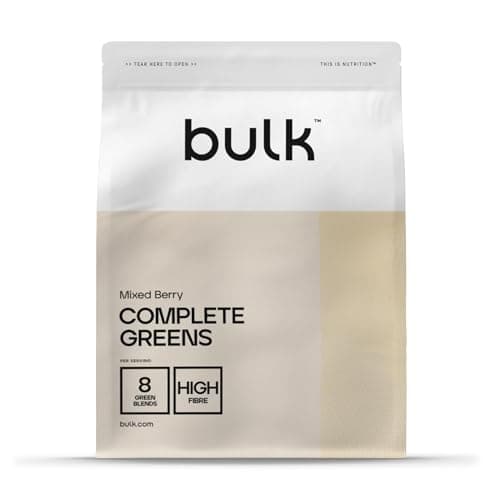
The best greens powders in the UK for 2026, from budget super greens to premium all-in-one vegetable powders, plus an honest look at whether they actually work.
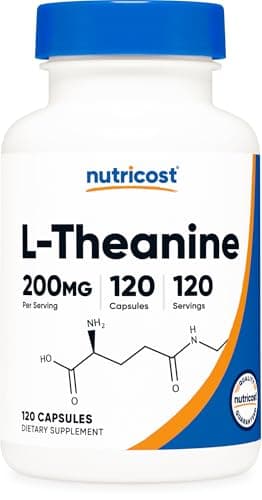
The best L-theanine supplement for UK buyers in 2026: five capsules ranked on dose and cost per day, what the research shows about sleep and caffeine, and the dose worth taking.

The best protein shakes for weight loss in the UK, and how to spot the healthiest protein powder for a diet: low-calorie, high-protein picks to curb hunger, plus how to use them.
Best Exercise is a participant in the Amazon EU Associates Programme, an affiliate advertising programme designed to provide a means for sites to earn advertising fees by advertising and linking to Amazon.co.uk. As an Amazon Associate we earn from qualifying purchases. This comes at no extra cost to you and never influences our independent reviews or rankings.