Exercise Bikes
Best Recumbent Exercise Bikes UK 2026: 5 Picks for Bad Knees and Backs
The best recumbent exercise bikes in the UK for 2026, from a £183 starter bike to a £1,399 Sole. Honest picks for sore knees, dodgy backs and long TV sessions.

By Paul Kendrick, Cardio & Endurance Editor · Updated 3 August 2026
We may earn a commission from qualifying purchases made through links on this page, at no extra cost to you. This never affects our ratings.
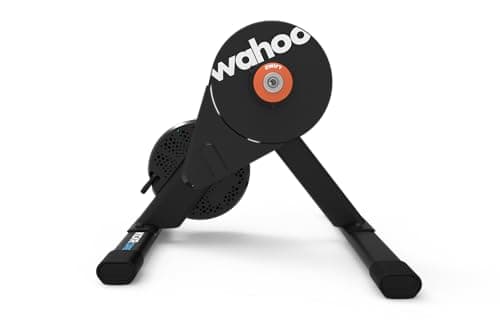
Wahoo's KICKR CORE has been the default answer to "which turbo trainer should I buy" for about six years, and the CORE 2 is the version that finally adds WiFi. That sounds like a footnote and it isn't. Firmware updates and ride data no longer have to squeeze through a Bluetooth link that sulks when someone walks past with a phone in their pocket, which was the complaint that came up over and over with the original.
The rest of the machine is familiar, and that's deliberate. You get a direct-drive trainer with a claimed 1800W maximum power, power accuracy quoted at plus or minus 2%, a 16% maximum simulated incline and a belt drive, all for £399.99 on Amazon UK at the time of writing. The version reviewed here is the one that ships with Zwift's orange Cog and the Click shifter rather than an 11-speed cassette, and that single change alters who this trainer suits. More on that below, because it's the decision most buyers get wrong.
How we review
This review is research-based. We have gone through verified owner reviews, hands-on testing published by trusted expert outlets, and Wahoo's own published specifications for the CORE 2. We have not run a months-long endurance test of this exact unit ourselves, so every figure quoted here comes from Wahoo's spec sheet, and every criticism reflects a complaint that recurs across many owners rather than one bad experience.
The CORE 2 makes sense if you already own a road or gravel bike you like and you want it to become your winter training tool. Structured intervals, Zwift races, a Sunday endurance block while it hammers down outside: this handles all of it without the resistance sagging halfway through a set. The plus or minus 2% accuracy claim is the number that matters most here, because training to power is pointless if the power figure wanders.
Skip it if you don't own a bike. That sounds obvious, but a surprising number of people buy a turbo trainer before working out that it's a stand for a bike they don't have, and a smart bike or spin bike is a better fit; our best spin bike UK guide covers the alternatives. Skip it too if your only goal is general fitness rather than cycling performance. The NHS physical activity guidance for adults aged 19 to 64 asks for 150 minutes of moderate activity or 75 minutes of vigorous activity a week, and you can hit that on a £250 exercise bike without ever thinking about thru-axle adapters.
This is the bit worth reading twice, because Amazon UK lists two CORE 2 trainers at the same £399.99 price and they behave very differently.
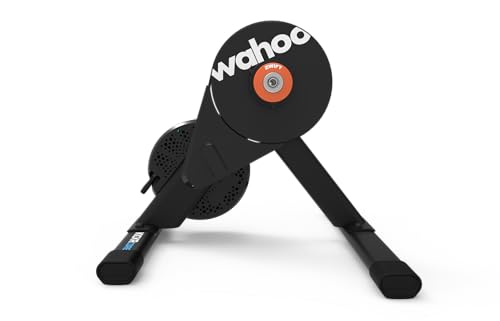
The listing covered here (ASIN B0FLQDCR7X) ships with the Zwift Cog pre-installed. That's a single orange sprocket where a cassette would normally sit, paired with the Zwift Click, a small wireless remote that clamps to your handlebar. Your bike's chain sits on that one sprocket and never moves. When you want a harder gear, you press the Click and Zwift changes the resistance to simulate a shift. Wahoo's own UK product page describes the Cog as compatible with 8 to 13 speed bikes, which is the real selling point: you don't have to match a cassette to your groupset, buy a cassette tool, or worry about whether your 10-speed bike will play nicely with an 11-speed trainer. Chain on, ride.
The catch is the workflow. Virtual shifting is a Zwift feature, so the Cog and Click combination is at its best inside Zwift and gets awkward outside it. Ride TrainerRoad, MyWhoosh or Rouvy on a single-sprocket trainer and you're relying on that platform's own support for virtual shifting, which varies. Ride nothing at all, in ERG-free freeride mode, and you've got one gear.
So which should most people buy? The cassette version, ASIN B0FLQCKQC8, at the same price. It ships with an 11-speed cassette fitted and works exactly like a normal trainer with every app, every platform and no dependencies. Choose the Cog and Click version only if you already pay for Zwift, ride it almost exclusively, and would rather not think about drivetrains again. That's a real group of people, and for them it's genuinely the better box. It just isn't most people.
Check price on AmazonNumbers on a spec sheet don't always translate, so here's the plain version.
The 1800W maximum power figure is headroom rather than a target. Very few riders will ever sustain a quarter of that, but sprint efforts spike hard and briefly, and a trainer that runs out of resistance mid-sprint feels awful. This one won't.
The 16% maximum incline is the one you'll notice most. Zwift's Alpe du Zwift averages around 8.5%, so the CORE 2 has room to spare on almost anything in the game. It won't replicate a proper wall of a climb at 20%, but the resistance ramps predictably rather than surging, which is what makes climbs feel like climbs and not like someone throwing a switch.
Power accuracy of plus or minus 2% is where the CORE 2 earns its price. Two percent at 200W is four watts, which is close enough that your FTP test, your interval targets and your training zones all mean something week to week. That consistency matters for interval work specifically. A 12-week study of a supervised indoor cycling programme using three 55-minute sessions per week, with high-intensity intervals at 80 to 95% of maximum heart rate, reported improvements in cholesterol, triglycerides and inflammatory markers in women with obesity. Hitting those intensity targets reliably is easier when the trainer isn't lying to you, though pairing it with a chest strap from our best heart rate monitor UK guide is still the more accurate way to police heart rate zones.
| Maximum power output | 1800 W |
|---|---|
| Power accuracy | +/- 2% |
| Maximum simulated incline | 16% |
| Maximum simulated decline | -10% |
| Resistance type | Electromagnetic |
| Drivetrain | Belt drive |
| Connectivity | WiFi, Bluetooth (up to 3 connections), ANT+ and ANT+ FE-C |
| Product weight | 13.6 kg / 30 lb |
| Maximum rider weight | 113 kg / 250 lb |
| Drivetrain compatibility | 8 to 13 speed (Zwift Cog version) |
| Power supply | Mains, AC adapter supplied |
| In the box (this version) | Trainer, Zwift Cog (pre-installed), Zwift Click, AC adapter, QR and thru-axle adapters |
Two things Wahoo doesn't publish for the CORE 2 are a flywheel weight and a decibel rating, so we're not going to quote either. Anyone who tells you a precise noise figure for this generation is guessing.
Physical setup is quick on the Cog version because there's no cassette to fit. Pick the right axle adapters from the small bag, slot your rear wheel out, drop the bike on, tension the chain onto the single sprocket. Fifteen minutes if you've never done it, five if you have.
The software side is where people lose an evening. First boot usually wants a firmware update through the Wahoo app, and updates on a brand new unit have a habit of failing once before they succeed. WiFi makes this considerably less painful than it was on the original CORE, but "less painful" isn't "painless". Budget an hour on day one, keep the trainer plugged in, and don't start the update ten minutes before a group ride.
Spindown calibration is the other thing to know about. Ride for ten minutes to warm the belt, then run the spindown from the app, and repeat it every few weeks or after you move the trainer. Skipping it is the most common reason someone's power numbers drift and they blame the hardware.
It's a heavy lump. At 13.6 kg with no wheels, no carry handle and legs that fold in only partially rather than flat, this thing lives where you install it. If your plan is "set up in the living room, pack away before dinner", it's the wrong purchase; a spin bike stays put more gracefully, which is part of why the Keiser M3i suits shared spaces better.
It needs a plug. Several rivals generate their own power from your pedalling and need no socket at all, which is genuinely useful in a garage or shed. The CORE 2 ships with an AC adapter for a reason: no mains, no resistance.
And the price sits above capable budget direct-drive trainers that hit similar accuracy claims for less. What you're paying extra for is Wahoo's app ecosystem, connectivity that actually works across three simultaneous Bluetooth connections, and the fact that the CORE has years of proven service behind it. That's worth something. Whether it's worth the gap depends on how much you value not troubleshooting.
Check price on AmazonAt £399.99 the CORE 2 sits in an awkward but defensible spot: cheaper than the flagship KICKR, dearer than the budget end, better specified than both would suggest. The accuracy claim, the 16% gradient and the WiFi are the three things that justify it. If you're comparing it against wheel-on trainers or other direct-drive units, our best turbo trainer UK buying guide lays out the full field, and the wider exercise bikes section covers the machines to buy instead if you'd rather not use your own bike at all.
If you ride indoors more than once a week and care about training to power numbers, yes. You get plus or minus 2% claimed accuracy, 1800W of headroom, a 16% simulated gradient and WiFi, which is a lot of trainer for £399.99. If you only ride indoors when it rains, a cheaper wheel-on trainer or a spin bike will cost far less and take up less space.
The headline change is WiFi. The original relied on Bluetooth and ANT+ alone, which made firmware updates slow and left some riders chasing dropouts. The CORE 2 keeps the same 1800W ceiling, plus or minus 2% accuracy and 16% maximum incline, and adds a Zwift Cog and Click option straight from the factory.
Buy the cassette version (ASIN B0FLQCKQC8, same price) if you want the trainer to work with anything: Zwift, TrainerRoad, MyWhoosh, Rouvy, or nothing at all. Buy the Zwift Cog and Click version if you ride Zwift almost exclusively and want to skip cassette compatibility entirely. The Cog is a single sprocket, so you shift virtually using the Click remote instead of your bike's gears.
Yes. An AC power adapter is supplied in the box and the trainer will not provide resistance without it. Some rivals self-generate power from your pedalling and run without a plug, so if your riding spot has no socket nearby, factor in an extension lead.
Wahoo does not publish a decibel figure for this generation. It uses a belt drive and electromagnetic resistance, so the trainer itself is not the loud part; on a direct-drive unit most of the noise you hear comes from your own chain and cassette, plus whatever your floor does with the vibration. A mat helps more than people expect if you live in a flat.
The best recumbent exercise bikes in the UK for 2026, from a £183 starter bike to a £1,399 Sole. Honest picks for sore knees, dodgy backs and long TV sessions.
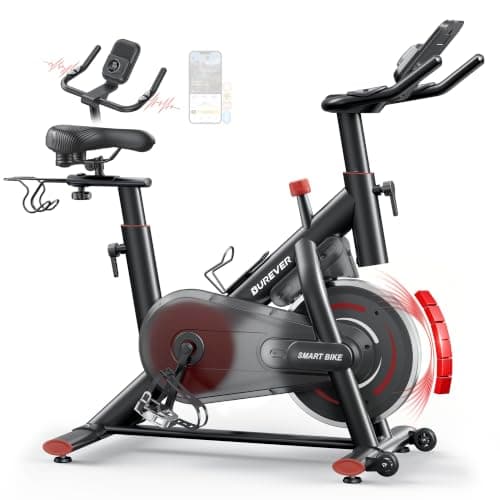
Our Burever exercise bike review: the touchscreen goal console, 0-100% magnetic resistance, 170kg limit, Zwift support without a power meter, and who should buy it.
Spin bike vs exercise bike compared on riding position, flywheel, resistance, comfort, noise and price, with a clear verdict on which suits your training.
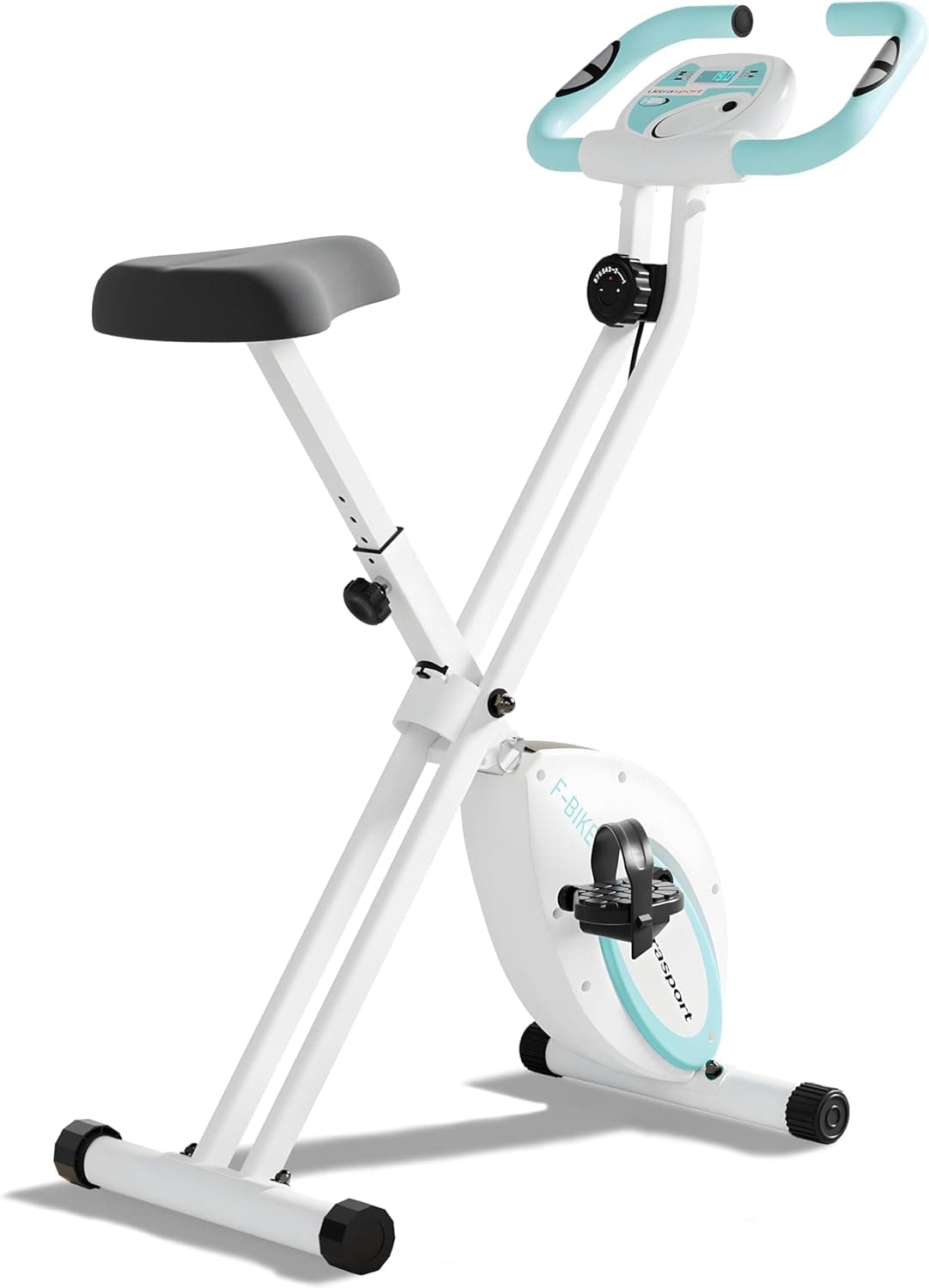
The best foldable exercise bike for UK homes, from budget mini pedallers to a 140kg-rated smart bike and a comfy recumbent. Folded sizes, weight limits and honest downsides.
Best Exercise is a participant in the Amazon EU Associates Programme, an affiliate advertising programme designed to provide a means for sites to earn advertising fees by advertising and linking to Amazon.co.uk. As an Amazon Associate we earn from qualifying purchases. This comes at no extra cost to you and never influences our independent reviews or rankings.